Research Organiser
A local web app for managing my own academic reading life: uploading PDFs, tracking what I've read, taking notes, extracting citations, running a research diary, and a few other things besides, all stored on my own machine instead of someone else's cloud. This piece is in two parts: first a walkthrough of what it looks like to use, screen by screen; then an explanation of how it's built, for anyone who wants the software side.
Part one: a walkthrough
Getting it running
Setup is three steps: get a free API key from console.groq.com (no card required), drop it into a .env file as GROQ_API_KEY=..., then start the server. On Windows that's .\start.ps1; on macOS/Linux, bash start.sh. Both scripts install dependencies, create the .env from the template if it doesn't exist yet, and check whether port 8000 is already taken before launching. Or skip the script and run pip install -r requirements.txt followed by python main.py directly. Either way, it comes up at http://localhost:8000.
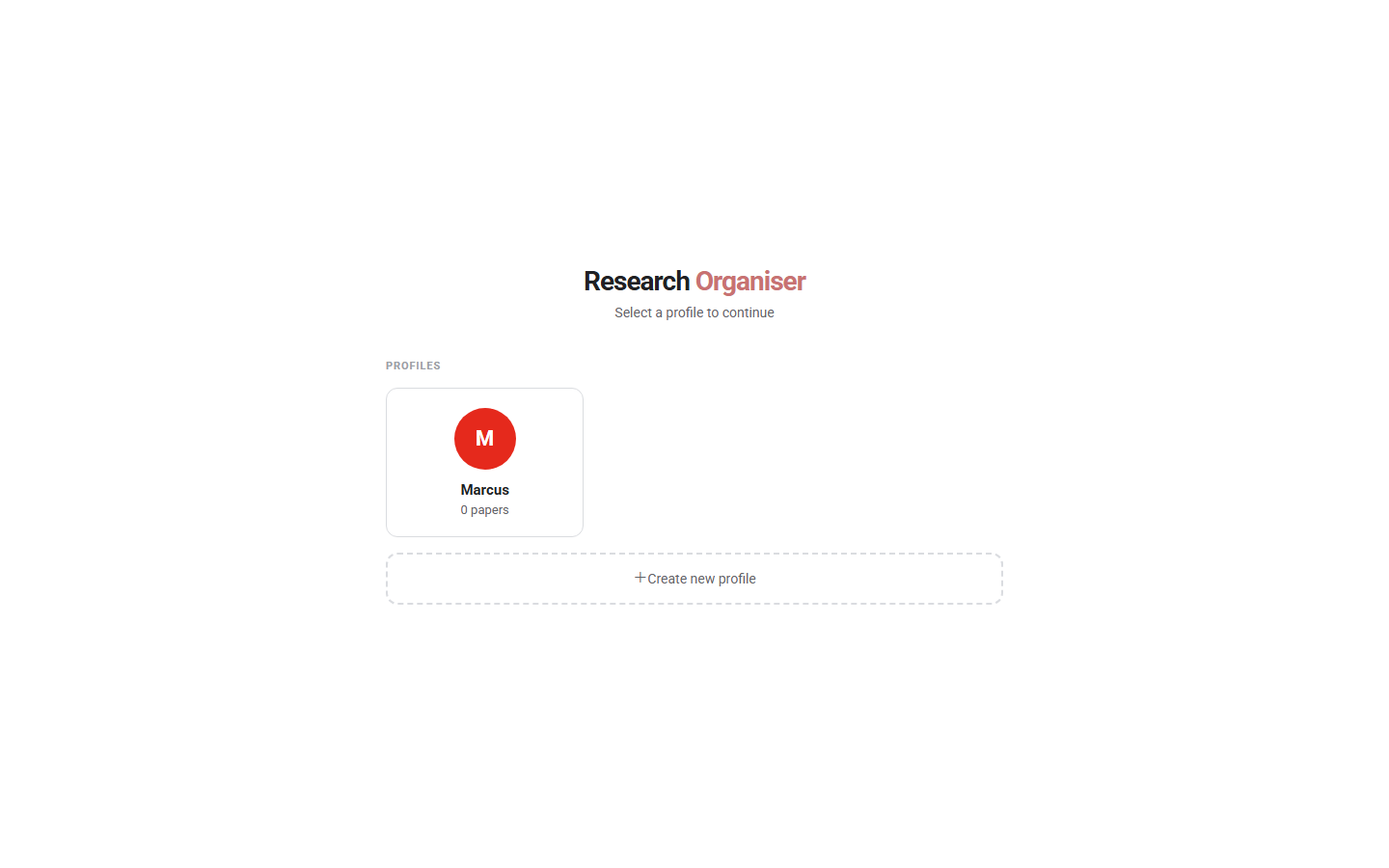
Profiles
The app opens on a profile picker instead of a login screen (pictured above): there's no password, since everything is local to your own machine. Profiles exist so you can keep separate libraries for separate projects, or so more than one person can use the same install without their reading queues getting mixed together. Every profile has its own library, diary, and queue, except for one shared “Bridging Papers” collection visible across all profiles, useful for papers relevant to more than one project.
The library
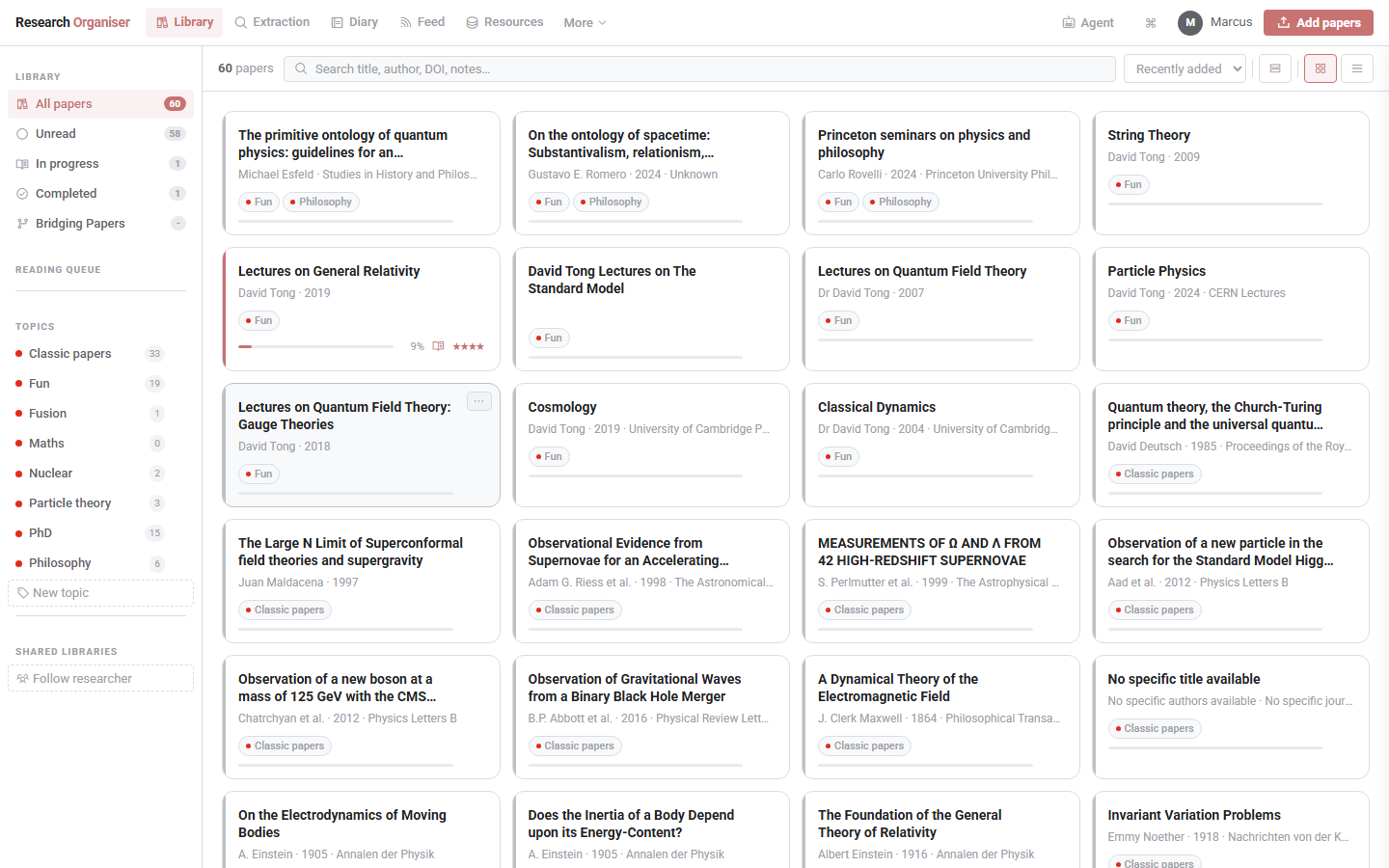
This is the main screen and the one you'll spend the most time on. Papers go in by drag-and-drop or the “Add papers” button, multiple at a time, and uploading doesn't block the UI. AI metadata extraction (title, authors, year, journal, DOI, abstract, research fields, a short summary, and a first pass at cited references) runs in the background while you keep working, and each card shows a pending indicator until it's done.
Down the left, papers are organised by reading status (Unread, In Progress, Completed) and by colour-coded topics you define yourself, with a running count next to each. The main panel supports grid, list, and compact views, sorting by date added, rating, or publication year, and a search box that matches on title, author, DOI, or your own notes. Each paper gets a 1–5 star rating, a page-progress tracker, and a notes field that autosaves as you type. Mine currently has sixty papers in it, mostly general relativity and QFT lecture notes alongside some classic papers I keep coming back to.
Extraction
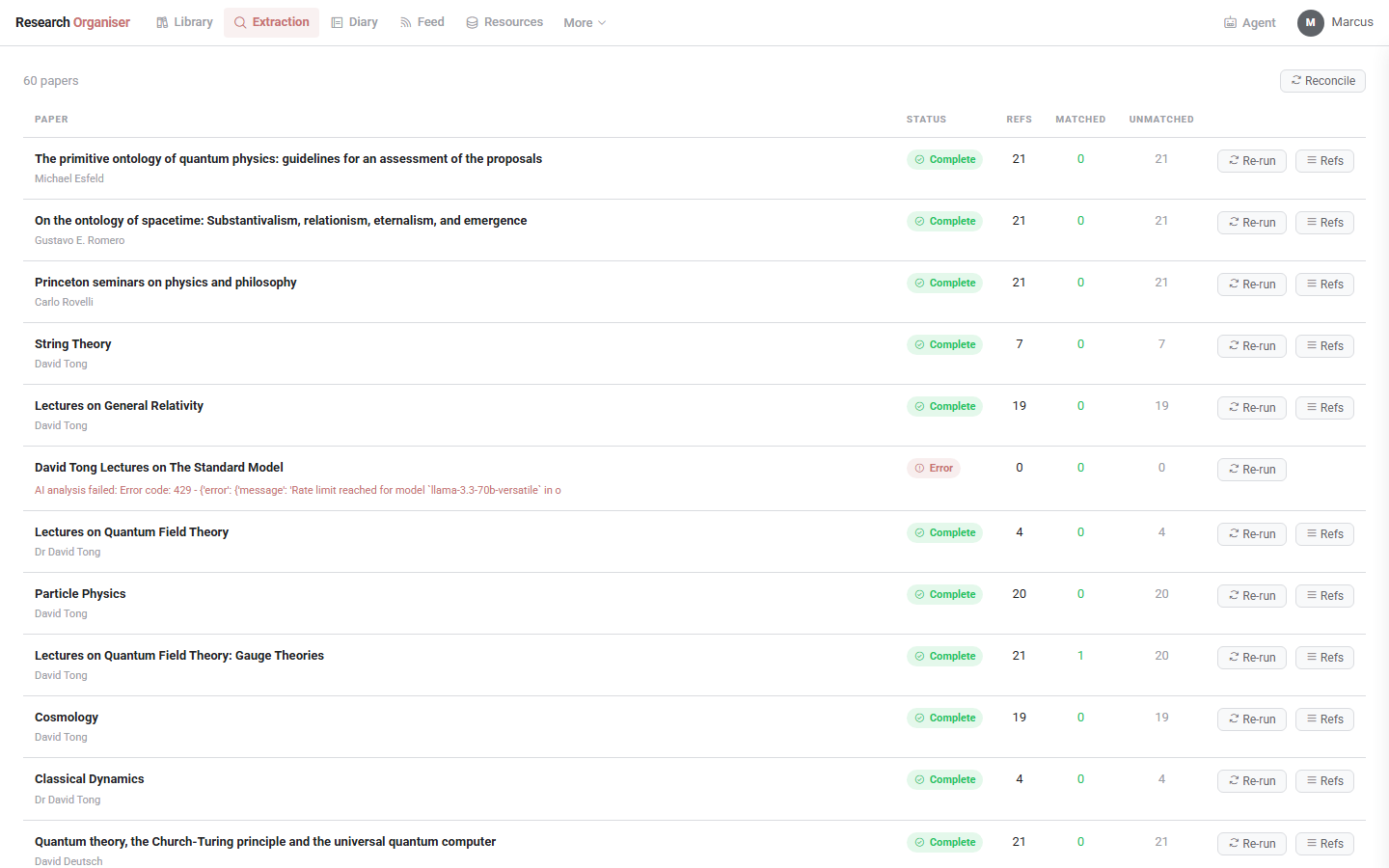
The /graph page is a table view of AI-extraction status per paper: how many references were pulled out of each PDF, how many were matched automatically to something already in the library, and how many are still unmatched. A “Re-run” button lets you retry a paper whose extraction failed or came back incomplete, useful when a PDF's reference list is formatted awkwardly enough that the first pass chokes on it. A “Refs” button expands the full per-paper reference list inline. A “Reconcile” action at the top re-runs the matching step across the whole library at once, for when you've added several papers that cite each other and want the links to catch up.
Analytics
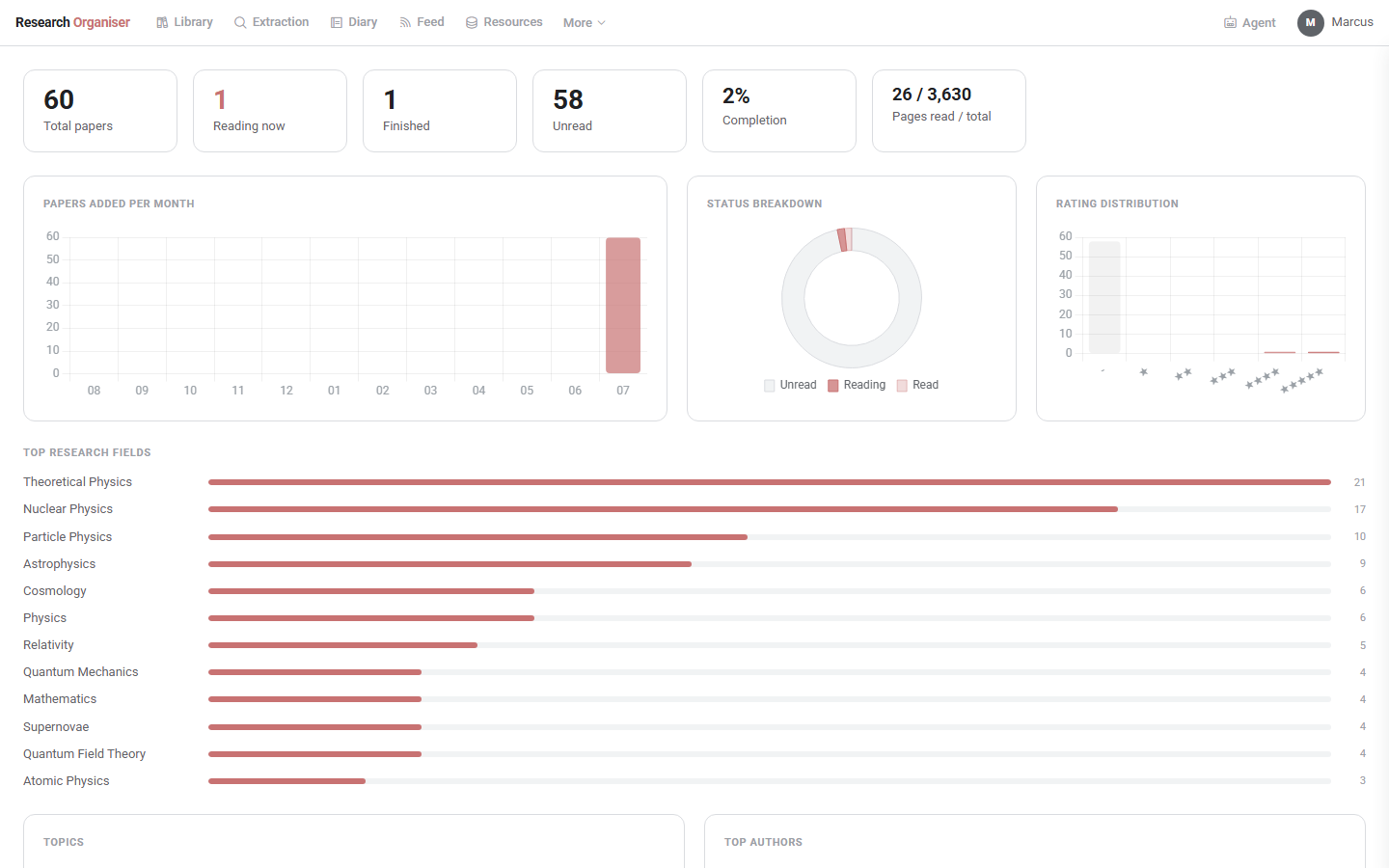
A dashboard of what your library actually looks like: total papers, how many are currently being read, finished, or unread, completion percentage, and total pages read. Below that, a papers-added-per-month bar chart, a status-breakdown donut chart, a rating-distribution bar chart, and a ranked bar chart of your top research fields (drawn from the AI-extracted field tags), plus breakdowns of top authors and topics. It's a nice sanity check on reading habits: a fast way to notice that theoretical physics and nuclear physics dominate what I've added, which, looking at the chart, they do.
Diary and tasks
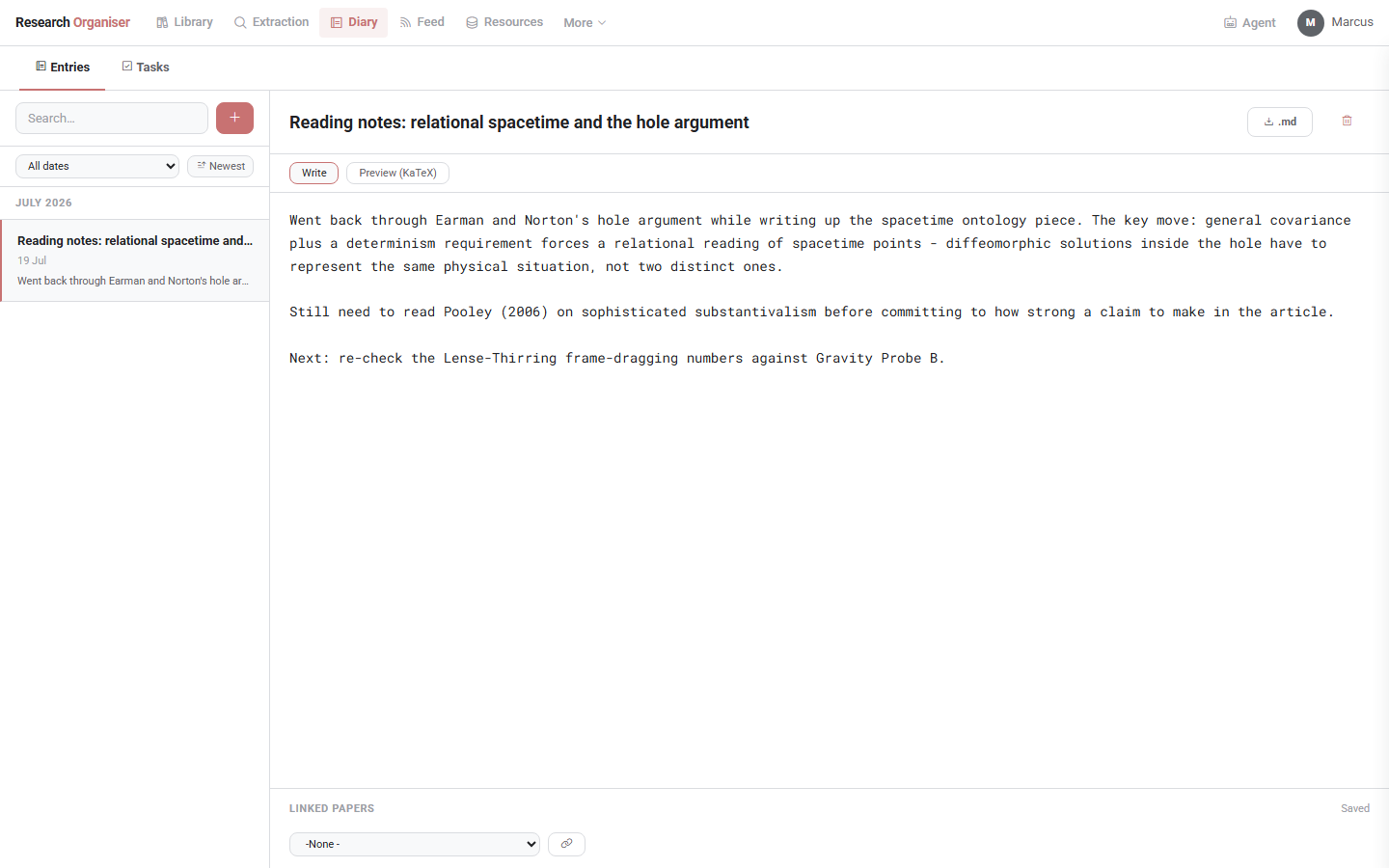
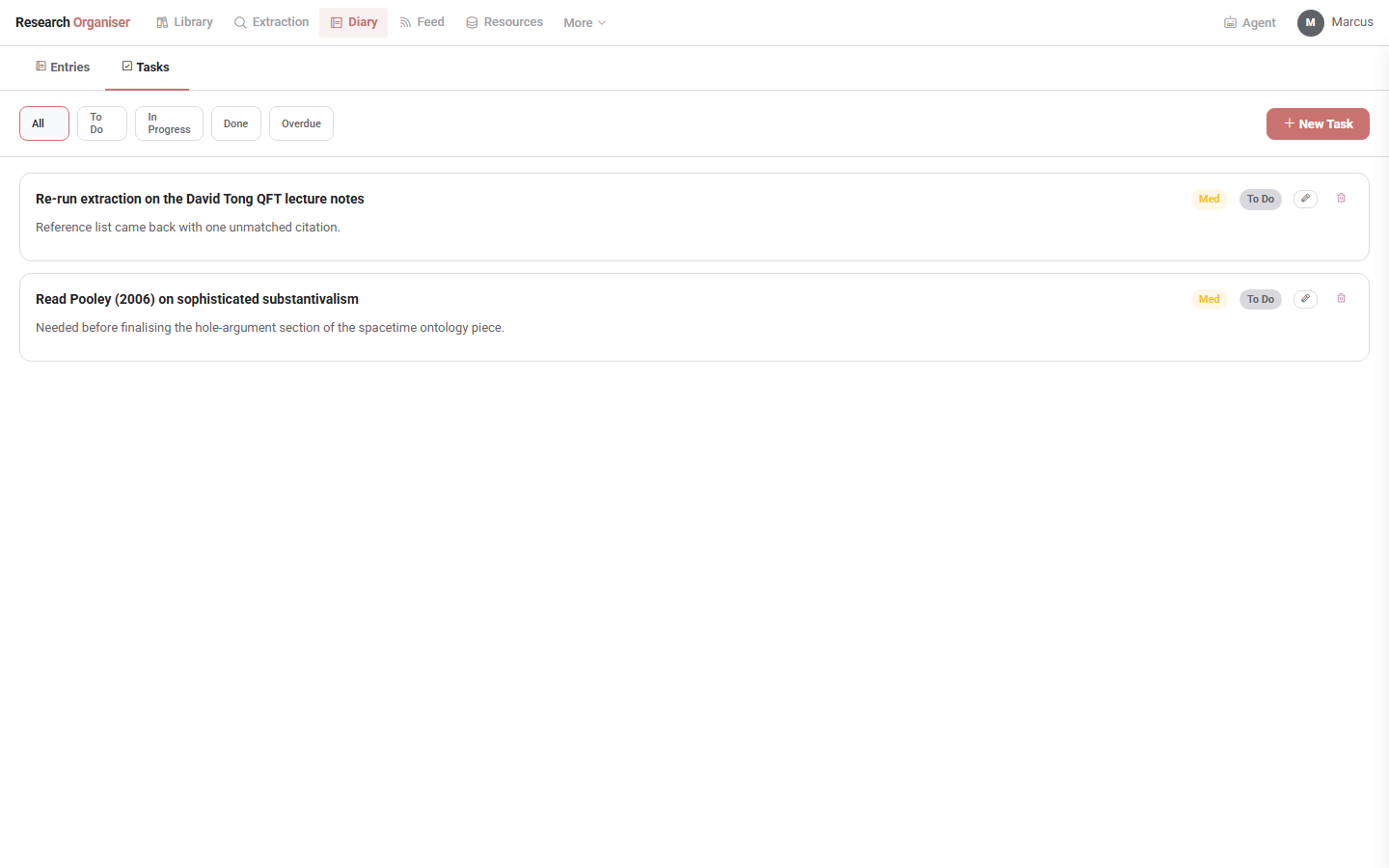
The /diary page is a dated research journal, separate from per-paper notes: entries can be searched by text, linked to specific papers, and exported as Markdown with YAML frontmatter (title, date, linked papers) if you want them somewhere else too, with a live KaTeX preview for entries that include maths. A second tab, Tasks, is a straightforward to-do list with priorities (low/medium/high/urgent), due dates, and a status of to-do/in-progress/done, with overdue tasks highlighted so they don't quietly disappear.
Resources
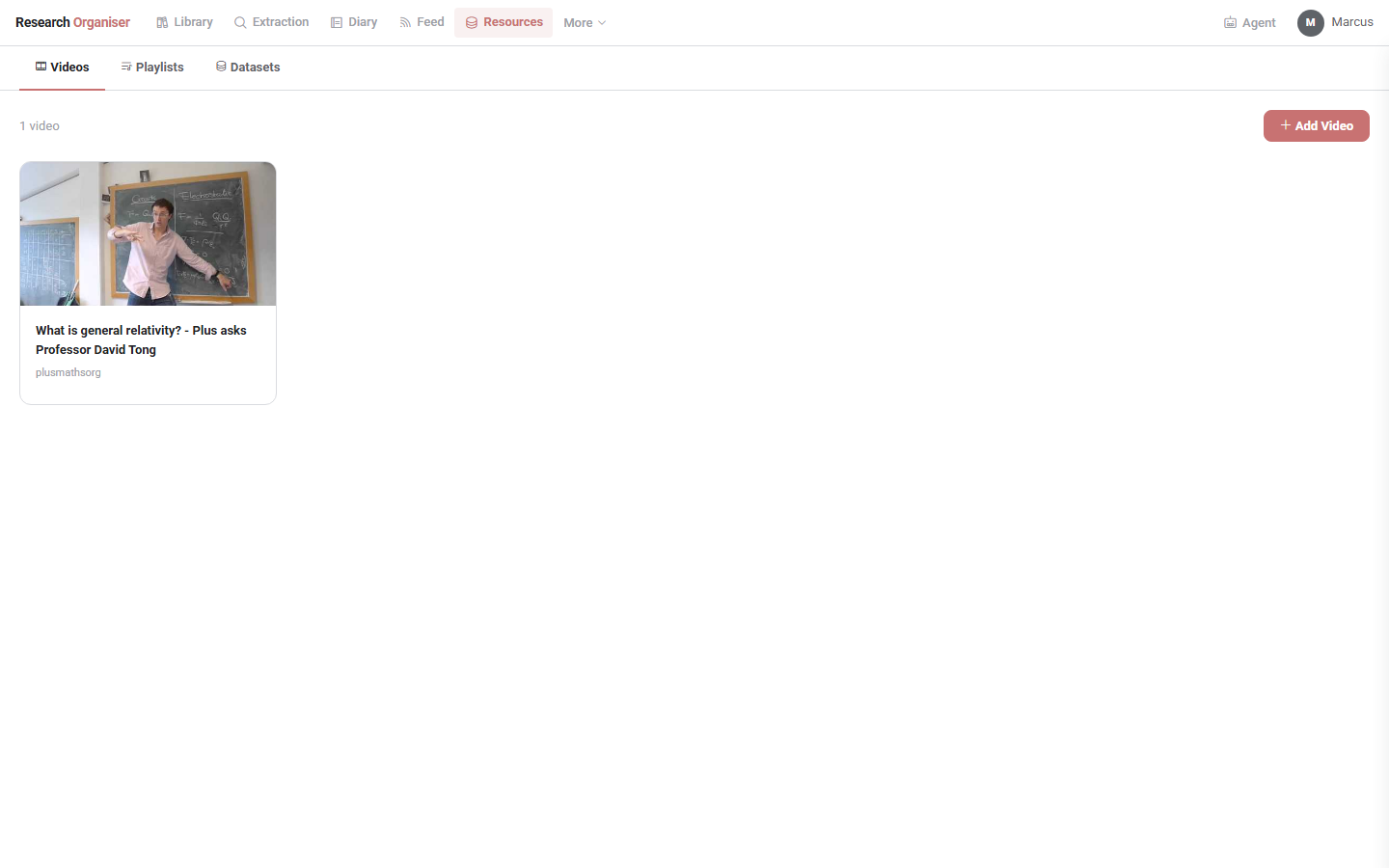
A catch-all for material that isn't a paper: a Videos tab for saving YouTube videos with auto-fetched title and thumbnail (via YouTube's oEmbed metadata), tagged by topic and watchable inline; a Playlists tab for the same with an embedded player; and a Datasets tab for tracking datasets by source URL, description, and file upload, for when the thing you need to keep track of is data rather than a paper.
Code
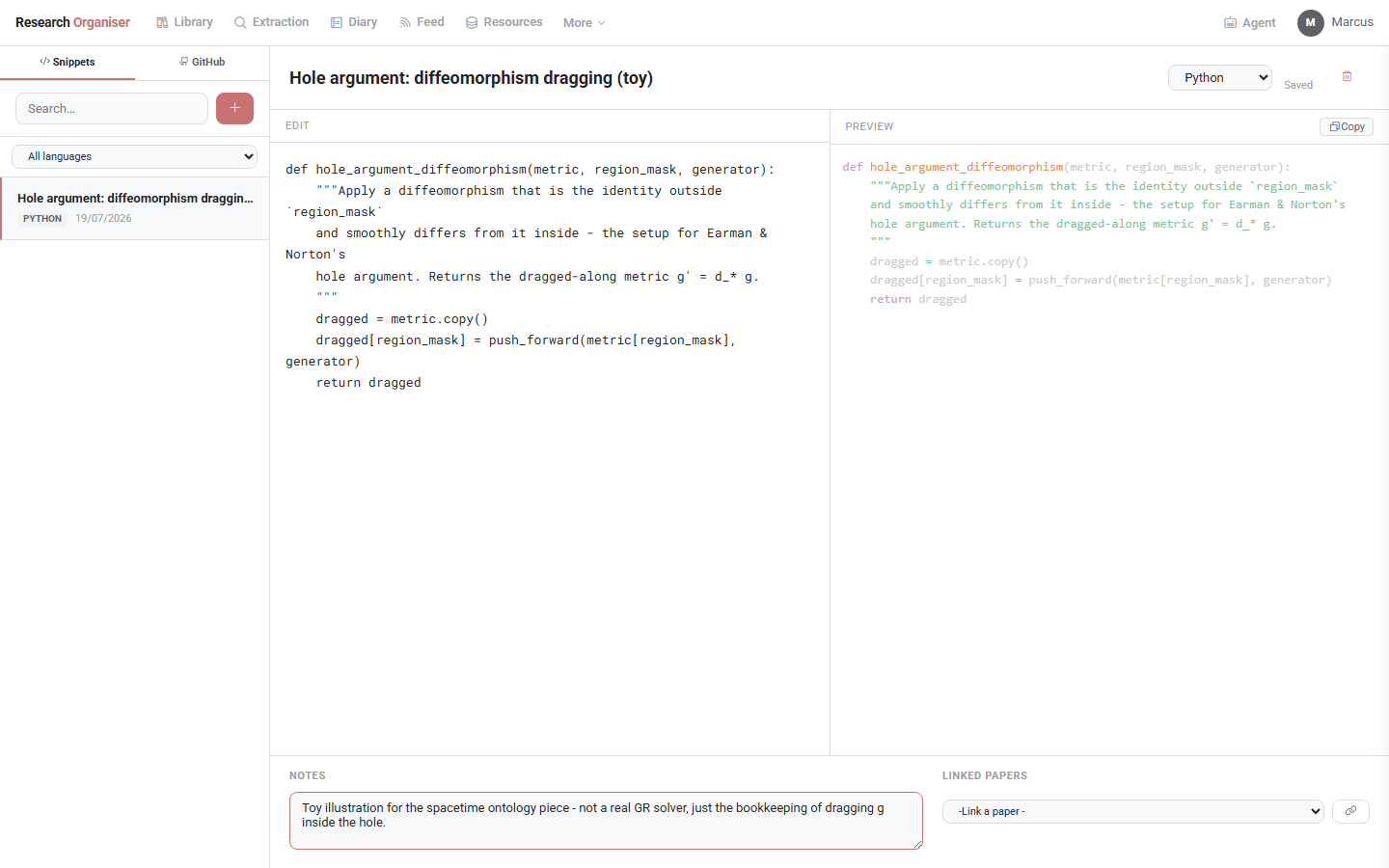
/code is a place to save syntax-highlighted code snippets (Python, JS, R, MATLAB, C, Bash, Julia, via Prism.js) with a live preview pane, link them to the paper they came from, add free-text notes, and copy them to the clipboard. There's also a GitHub tab alongside Snippets for browsing a linked GitHub account's repos directly.
Feed
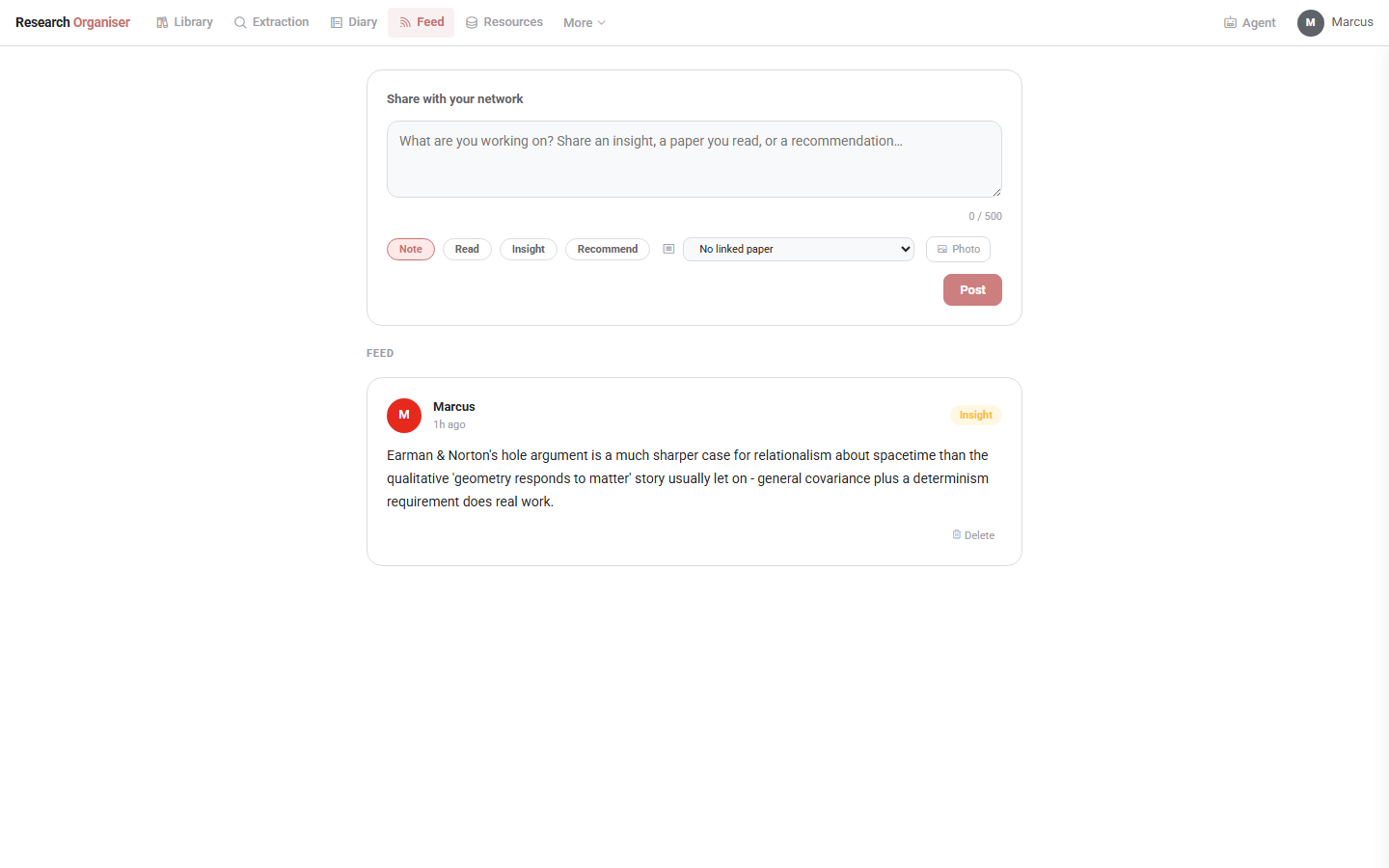
/feed is a small social layer on top of all of this: post research updates tagged as a Note, Read, Insight, or Recommendation, optionally with a photo attached and a paper linked, and follow other profiles to see theirs alongside your own.
Research Agent
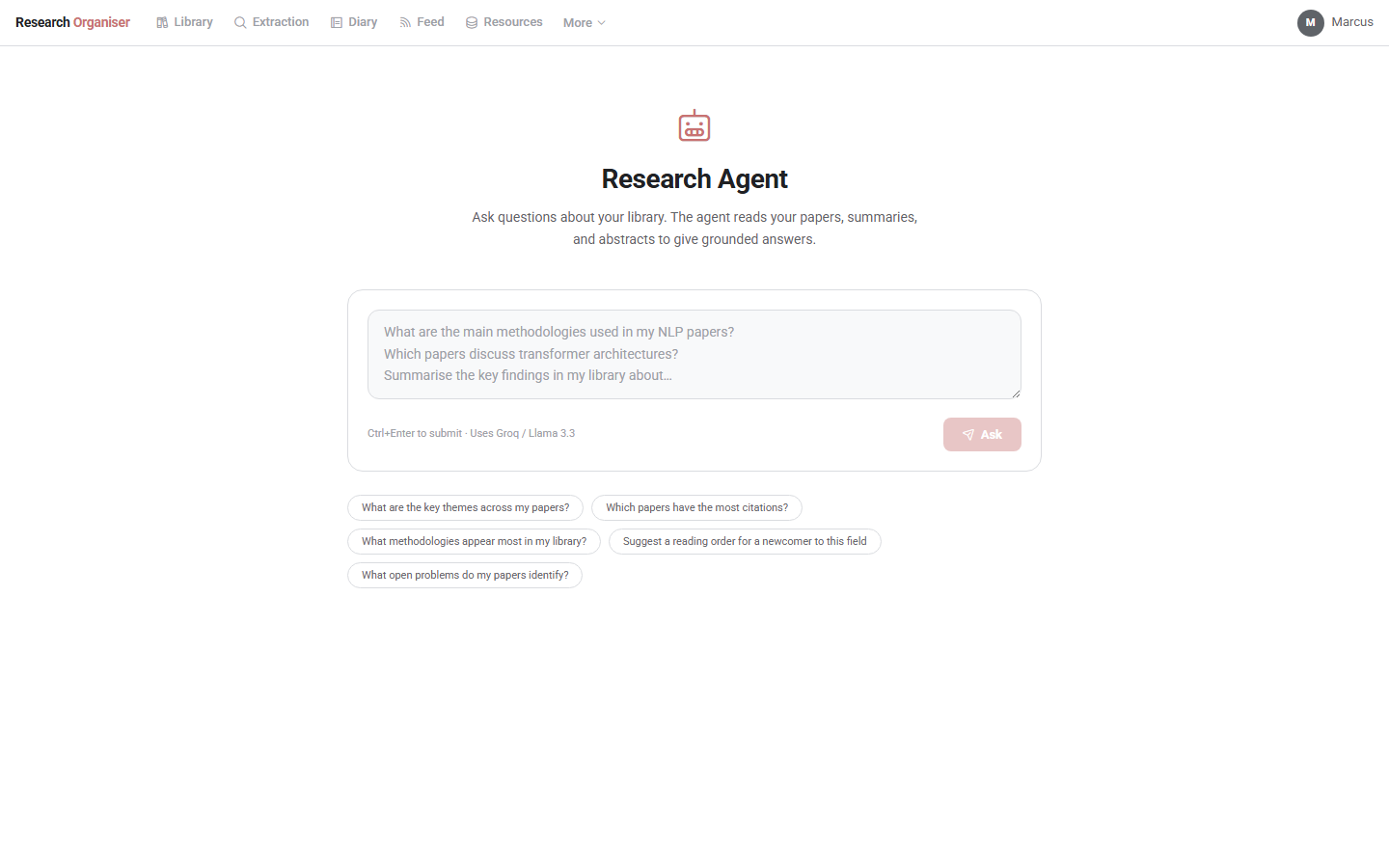
/agent is a natural-language question box over your entire library: it reads paper summaries, abstracts, and metadata to answer grounded questions and cites the specific papers it drew on, with clickable links back into the library, things like “what methodologies appear most in my library?” or “suggest a reading order for a newcomer to this field.” Like the metadata extraction, it runs on Groq/Llama 3.3, so it needs the same API key already set up in .env.
Part two: how it's built
Overall shape
It's a single FastAPI backend (one main.py, currently a little over a hundred kilobytes) talking to a SQLite database through SQLAlchemy, with a plain-JavaScript frontend and no build step: each page is a static HTML file under static/ that calls a small set of JSON API routes directly. There's no separate account system or external server: every profile's library, diary, and reading queue live in one local research.db file, and uploaded PDFs sit in an uploads/ folder next to it. The one external dependency is optional: a free Groq API key, used to auto-extract metadata and generate summaries when you upload a paper.
The data model
The schema is built around a Paper table (title, authors, year, journal, DOI, abstract, status, rating, notes, page progress, AI summary and extracted fields, plus an ai_status column that drives the pending indicator in the library view) and a Reference table that records, for each paper, the references the AI extraction pulled out of its text and whatever target_id they were matched to in the library, along with a match confidence and method. A separate Suggestion table holds AI-recommended related papers, and PaperRelationship records explicit links between papers you've made yourself. Topics are a many-to-many join (Topic / PaperTopic) so a paper can carry several colour-coded tags at once. Diary entries, tasks, code snippets, feed posts, videos, and datasets are each their own table, mostly following the same shape: a content table plus a join table where something needs linking back to a specific paper.
The upload and extraction pipeline
Uploading a PDF writes the file to uploads/, creates a Paper row with ai_status="pending", and hands off to a background task (FastAPI's BackgroundTasks, backed by a plain threading.Thread for the reanalyse path) instead of blocking the HTTP response. This is what lets you drop in a stack of PDFs at once and keep working while metadata extraction happens behind the scenes. Text extraction itself goes through pdfplumber; the extracted text is then sent to Groq's Llama 3.3 endpoint with a prompt asking for structured metadata, a short summary, research field tags, and a first pass at the paper's reference list. Each extracted reference is then run through a matching step against titles already in the library to decide whether it should link to an existing paper or sit as an external, cited-but-not-uploaded entry. This is the same matching logic the Extraction page's “Reconcile” button re-runs on demand.
This pipeline is also why the free Groq tier's rate limit shows up occasionally as an “Error” status in the Extraction table instead of a silent failure: a paper that hits a 429 during analysis is left in a re-runnable state instead of being marked complete with partial data.
Stack
FastAPI + SQLAlchemy + SQLite on the backend, pdfplumber for PDF text extraction, Groq's Llama 3.3 for the AI analysis, and a vanilla-JS frontend with no build step. Diary maths rendering is KaTeX; code highlighting is Prism.js; icons are Phosphor.
A few practical notes
Everything stays local: uploads/ and research.db are gitignored if you keep the project in version control, and so is .env, so your papers, notes, and API key never end up committed anywhere. If a cited paper's title matches one already sitting in your library, the reference graph links them automatically rather than treating them as two separate things. And because AI analysis runs in the background rather than blocking the upload, it's entirely reasonable to drop in a stack of twenty PDFs at once and just let the pending indicators clear on their own while you keep working.
Discussion